
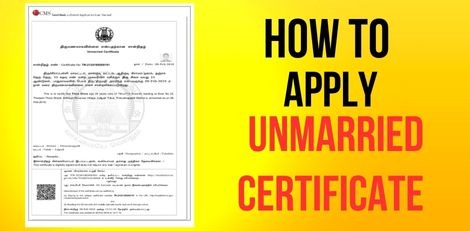
Service Code: REV-120 | Department: Revenue Department | Service Charge: ₹60
Purpose:
The Unmarried Certificate officially confirms that an individual is not married as of a specific date. It is required for:
– Marriage registration and matrimonial purposes
– Visa and passport applications
– Government job applications and background verification
– Educational admissions and scholarship eligibility
– Legal or court proceedings
– Property inheritance and related transactions
Required Documents:
Mandatory:
– Passport-size Photograph (Max 50 KB)
– Ration Card or Address Proof
– Age Proof (Aadhaar, Birth Certificate, or School Record)
– Self-Declaration of Unmarried Status (download from portal)
Optional Supporting Documents:
– Any other supporting documents if required for verification
Special Requirements:
– Applicant must have a valid Citizen Access Number (CAN)
– Valid Age Proof is mandatory
– Residence Proof must match address in application
– Self-Declaration confirming unmarried status is compulsory
– Certificate validates unmarried status as of the application date
Application Process:
1. Get CAN (Citizen Access Number)
– Visit: https://tnedistrict.tn.gov.in
– Register using Aadhaar + OTP verification to obtain CAN
2. Apply for Unmarried Certificate
– Login to Tamil Nadu e-Sevai Portal
– Navigate to: Services → Revenue Department → REV-120 Unmarried Certificate
3. Fill Application Form
– Applicant Details: Auto-filled from CAN data
– Address & Contact Details: Pre-filled and non-editable
– Verify all information before proceeding
4. Upload Documents
– Attach all required files (photo, age e proof, address proof, self-declaration)
5. Make Payment
– Pay ₹60 through the portal’s payment gateway
6. Download Acknowledgement
– Save or print the receipt for future tracking
Alternative Method (CSC Centre):
– Visit any e-Sevai / Common Service Center (CSC)
– Trained staff will help with CAN registration, document upload & verification, payment processing, and certificate tracking & printing
After Application:
– Track your application under ‘Check Status’ using the Application Number
– Application is reviewed by VAO / Revenue officials for verification
– Once approved, download the digitally signed Unmarried Certificate
– CSC operators can also print and hand over the certificate
Important Notes:
– Ensure all documents are clear, valid, and consistent
– Self-Declaration Form is mandatory for processing
– Certificate validates status only as of issue date
– Applications can be saved as drafts and completed later
– Photo size: Max 50 KB | Documents: Max 200 KB
– Supported formats: PDF, JPEG, JPG, PNG
– Certificate is digitally signed (no physical signature needed)
– Address consistency is essential for smooth verification
Apply Online: https://tnedistrict.tn.gov.in
Helpdesk: Visit nearest eSevai / CSC Centre for assistance
This guide is based on the Tamil Nadu e-District User Manual (REV-120). Government of Tamil Nadu, 2016.