
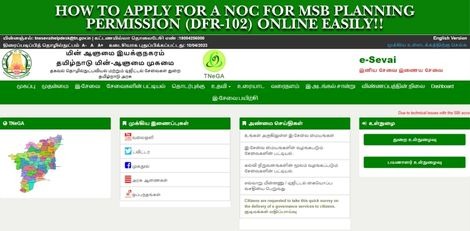
Service Code: DFR-102 | Department: Directorate of Fire & Rescue
Purpose:
The No Objection Certificate (NOC) for MSB Planning Permission service enables building developers and property owners to obtain fire safety clearance for Multi-Storied Building (MSB) planning proposals through the e-District portal. This service is designed for:
– Builders and developers planning multi-storied constructions
– Property owners seeking planning permission for MSB projects
– Architects and consultants submitting building plans for approval
– Construction companies requiring fire safety clearance
Required Information:
Mandatory Details:
– Building and address details (complete construction site information)
– Comprehensive fire safety specifications as per National Building Code
Special Requirements:
– MSB Classification: For Multi-Storied Buildings requiring fire safety clearance
– Technical Specifications: Detailed building construction and fire safety system details required
– Document Options: Can attach soft copies or deliver physical documents manually
– Comprehensive Data: Extensive building and fire protection system information needed
Step-by-Step Application Process:
1. Access the Portal: Login to the e-Sevai Tamil Nadu portal as Operator
2. Navigate to Service:
– Click Services on the left panel
– Select Directorate of Fire & Rescue from department list
– Click DFR-102 NOC for MSB Planning Permission
3. Complete Detailed Registration Form:
– Fields marked with red asterisk (*) are mandatory
– Fields marked with green asterisk are optional mandatory
4. Enter Building and Construction Details:
– Building and address details: Complete construction site information
– Contact details: Applicant/owner contact information
– Number of floors with floor area: Detailed floor specifications
– Staircase details: Internal and external staircase specifications
5. Provide Building System Specifications:
– Lift details: Number of lifts, capacity, service staircase availability
– Canteen details: If applicable
– Fire resistance of construction materials: Material fire ratings
– Fire protection systems: Complete fire e safety equipment details
– Fire pumps details: Specifications and capacities
– Communication systems: Emergency communication infrastructure
6. Enter Additional Technical Details:
– Generator details: Backup power specifications
– Site extent and setbacks: Building perimeter and clearance details
– Fire lift details: Specialized fire service elevator specifications
– Inspection compliance details: As per NBC 2005 Table 23 requirements
7. Submit Application: Click Submit
8. Choose Document Delivery Method:
– Option 1: Attach soft copies of required documents electronically
– Option 2: Deliver physical documents manually at the center
9. Upload Documents (if choosing electronic option):
– System shows list of required documents
– Attach documents in prescribed file size and type
– Upload button appears after browsing and selecting document
– Uploaded documents displayed at bottom of screen
10. Make Payment:
– Click Make Payment after document upload
– Total Fees for service displayed on payment page
– Click Confirm Payment
11. Download Acknowledgement: Click Print Receipt to print/download acknowledgement
Document Requirements:
– Building plans and drawings with fire safety systems
– Construction material specifications and fire ratings
– Fire protection system details and specifications
– Site plans with setback and clearance measurements
– NBC 2005 compliance documentation
Payment Details:
– Service Fees: As displayed on payment page (variable based on project)
– Payment Confirmation: Required before processing
After Submission:
– Draft Applications: Saved applications visible under Saved Application section
– Submitted Applications: Viewable under Submitted Application section
– Status Tracking: Check current status from Check Status section
– Receipt Reprint: Acknowledgement receipts can be re-printed from Reprint Receipt section
– Processing: Application goes to Director/Deputy Director/Joint Director for approval
Downloading NOC Certificate:
1. Check Status: Go to Check Status section
2. Enter Application Number: TN-XXXXXXXXXXXX
3. Click Search: View application details
4. Download Certificate: Click Download certificate link when application is approved and digitally signed
Important Fire Safety Conditions (from NOC):
– Wet-riser system required per thousand sq m area with automatic/manual operation
– Underground water tank (min 75,000L) and terrace tank (min 10,000L) for each tower
– Electrical and diesel fire pumps with specific capacity requirements
– Yard hydrants around building perimeter
– Fire service inlets with NRV at ground level
– Hose reel assembly covering each floor area
– Manual fire alarm call points on all floors
– Automatic sprinkler system on all floors
– Public Address System connecting all floors
– Alternative power systems for fire pumps, emergency lighting, and fire lift
– Compliance with National Building Code of India 2005 for ramps, exits, staircases
– Fire escape requirements including internal/external staircases and fire towers
– Fire lifts with minimum 8-passenger capacity and emergency communication
– Setback area free from obstructions for aerial ladder platform vehicle access
– First aid firefighting equipment on all floors per IS 2910:2010
– Basement requirements including ventilation, access, and fire separation
– Illuminated exit signage with battery backup
– Service duct protection with fire sealing/dampers
– Fire resistant cables and designated assembly points
– Evacuation route plans displayed on each floor
– Trained fire officer and crew for system maintenance
– Refuge areas as per NBC 2005 requirements
– Temporary fire protection during construction phase
Critical Compliance Notes:
– No obstructions in setback area for emergency vehicle access
– Ramp design must not exceed building line or obstruct side areas
– Building completion requires Fire Licence for final occupancy
– All specifications must meet National Building Code of India 2005 requirements
– Fire safety systems must be maintained in good working condition
Apply Online: https://tnesevai.tn.gov.in
Assistance: Visit your nearest e-Sevai / CSC Centre
This guide is based on the Tamil Nadu e-District User Manual (DFR-102). Government of Tamil Nadu.